

How to Evaluate an AI Website Redesign
Start with a page you own and test the tool before you commit. Give it the page URL, then check whether the preview keeps your real copy, brand elements, links, and page purpose. Ask how you’ll edit and export the result. If you can’t inspect the mobile layout, SEO settings, and code before publishing, it’s a poor fit for a B2B site.
AI can produce design options quickly, but a polished preview isn’t a finished redesign. Your team still needs to check technical claims, accessibility, forms, analytics, and what happens to existing URLs. Keep the live site untouched while you test.
I’m Nicholas Cunha, founder of CreatiVertical, with more than 20 years of agency work across web development and SEO. My approach to AI website redesign draws on that work and my hands-on use of AI in production systems.
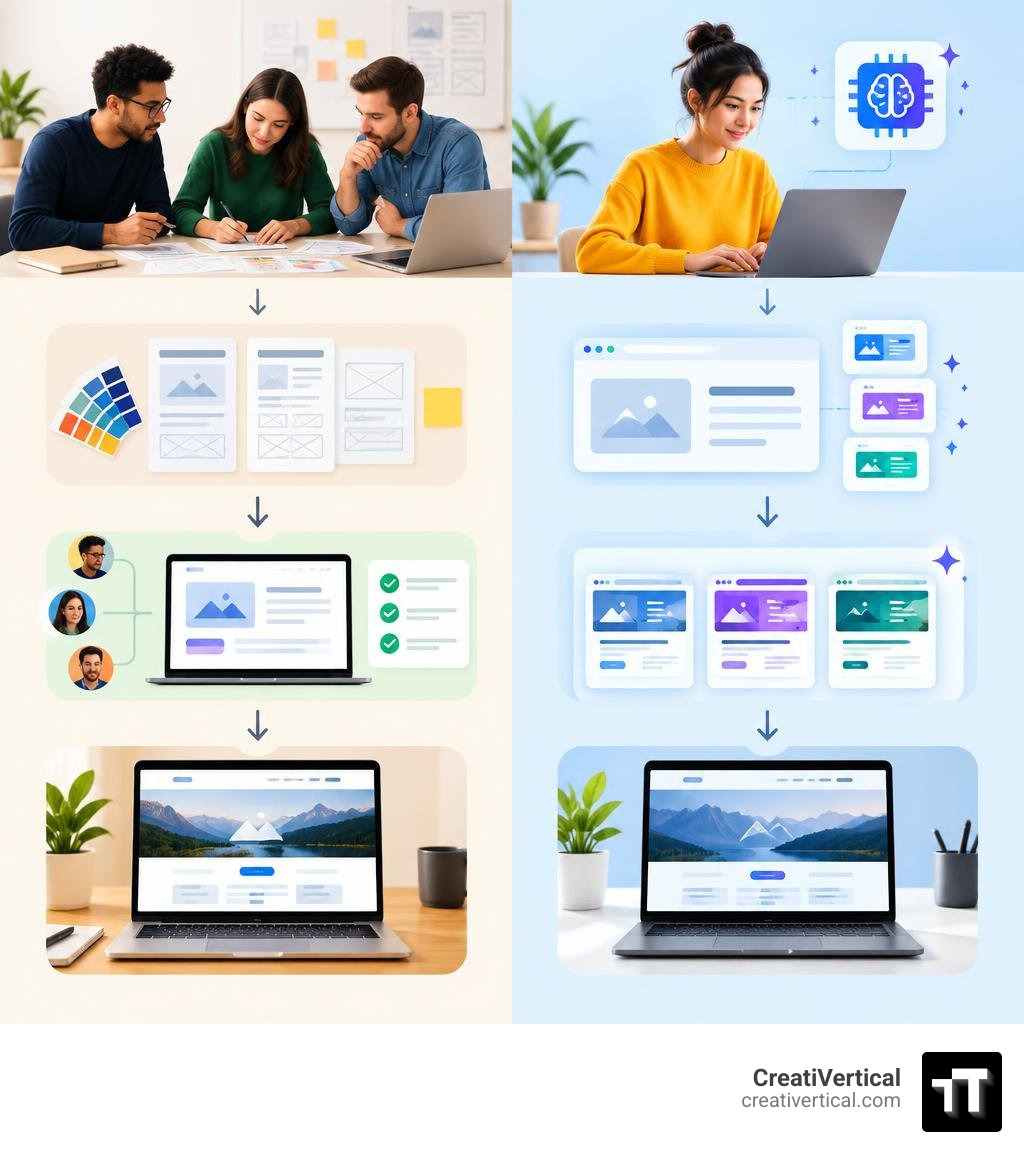
Ai website redesign terms made easy:
How an AI Website Redesign Platform Evaluates and Rebuilds Legacy Pages
When evaluating an ai website redesign platform, understanding what happens under the hood helps separate practical engineering from surface-level marketing. An automated redesign engine does not simply take a screenshot and paint over it. Instead, it crawls the Document Object Model (DOM) of your existing URL, extracting visible typography, color palettes, imagery, text hierarchies, and interactive nodes.
The system then evaluates the underlying structure against modern layout systems. Legacy markup—often bogged down by outdated tables, heavy script payloads, or nested container divs—is parsed into structured semantic components. The engine isolates brand tokens such as primary brand hex codes and font pairings, then restructures the layout into modern flexbox and grid containers.
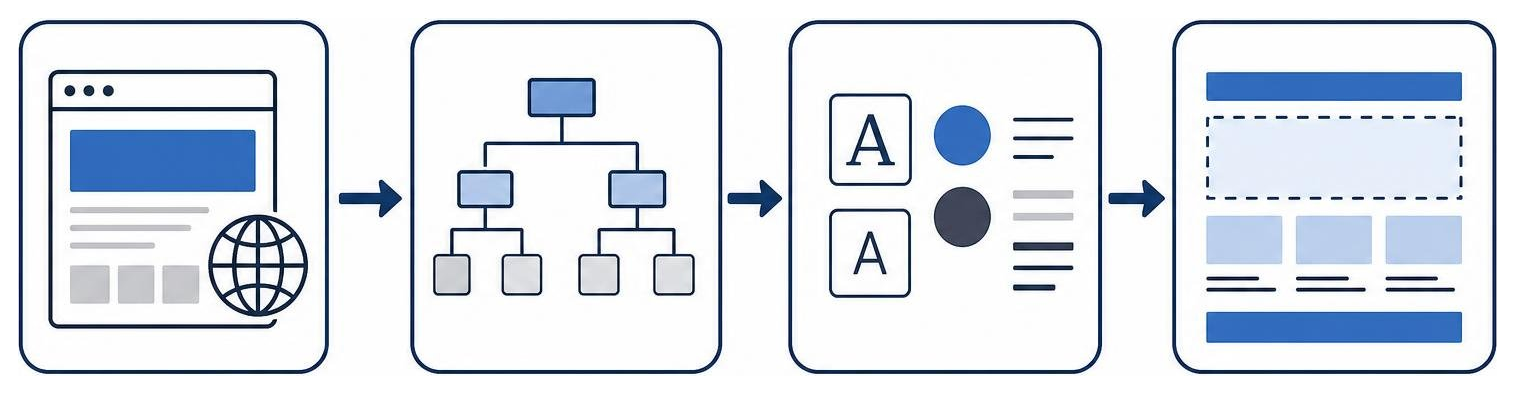
This refactoring reorganizes your visual hierarchy. Outdated hero banners, dense text blocks, and cluttered sidebars are translated into modular sections designed for better user flow. Users often abandon outdated sites quickly, so establishing a clean, modern first impression matters. AI tools can significantly reduce manual front-end layout assembly, delivering a functional, responsive foundation in minutes rather than weeks.
Step-by-Step AI Website Redesign Workflow: From URL Ingestion to Export
Executing an automated redesign follows a sequential pipeline designed to transform unstructured legacy markup into clean, production-ready code. Following a structured website redesign process ensures structural integrity throughout each phase:
- URL Ingestion and Scraping: You supply a live URL to an AI redesign tool. The system runs headless browser instances to capture rendered HTML, CSS stylesheets, images, and content assets.
- DOM Parsing and Content Isolation: The platform strips away outdated inline styling and extracts core copy, heading levels (H1 through H4), metadata, and media paths into structured JSON schemas.
- Brand Token Extraction: Algorithms detect existing visual identity cues—color contrast ratios, button radii, logo assets, and primary typography—to maintain recognizable brand continuity.
- Layout Compilation: The platform maps your extracted content into modern design frameworks, styling the interface using utility systems like Tailwind CSS or component libraries.
- Code Delivery and Export: The finalized interface is compiled into clean, accessible HTML, Next.js, or React components for deployment.
Single Page vs. Full Architecture Overhauls
A common pitfall for B2B teams is assuming a redesign requires tearing down an entire multi-tiered digital presence all at once. For complex organizations—such as precision manufacturers, public-sector contractors, or offshore fiduciary firms—rebuilding hundreds of product catalogs or compliance libraries simultaneously introduces operational risk.
Modern platforms permit isolated single-page overhauls. You can feed a single high-impact URL, such as your primary landing page or solution portal, into an AI redesign engine to refresh that specific user touchpoint.
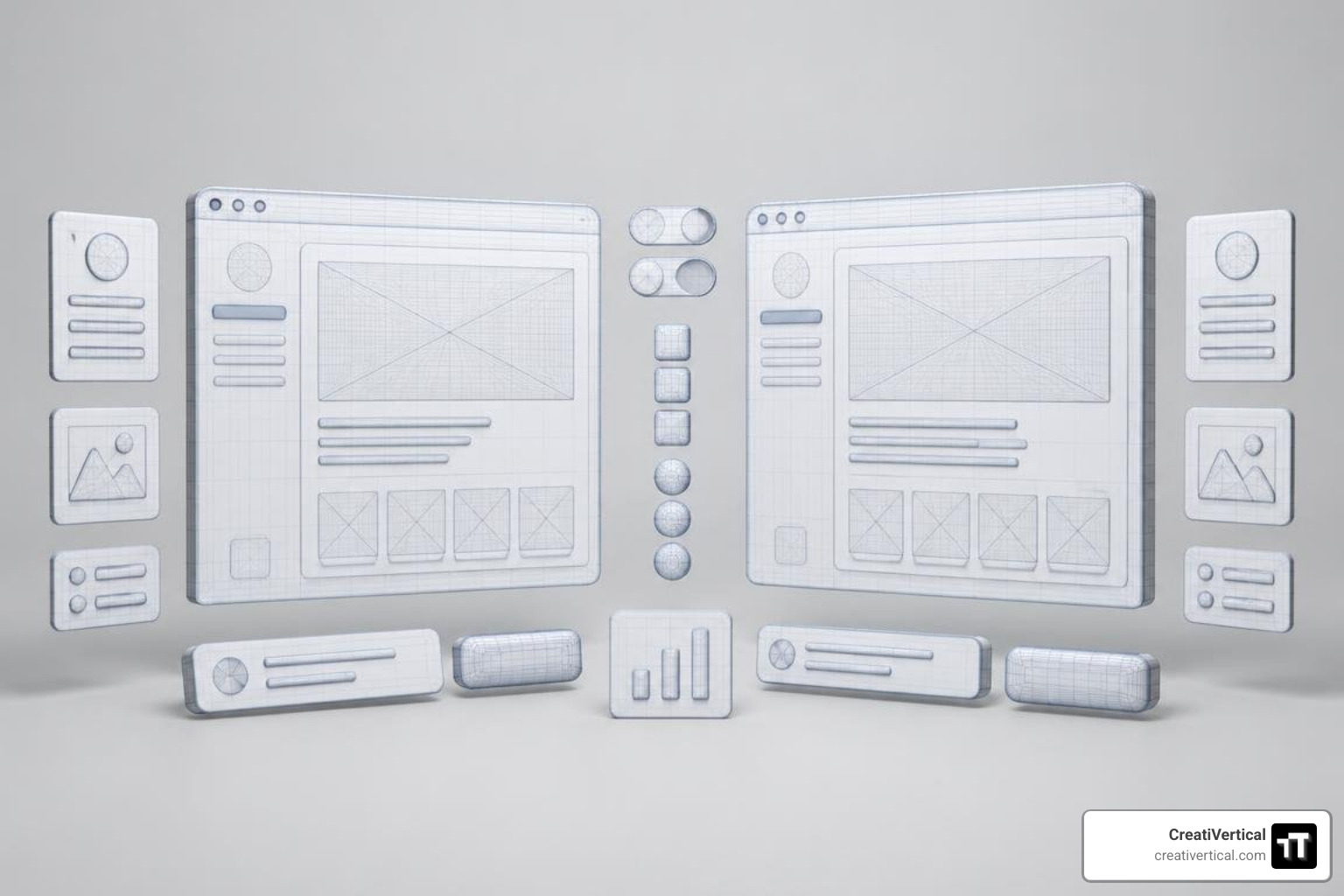
This modular capability aligns with proven evolutionary site redesign principles, allowing you to modernize critical front-door entry points while leaving authenticated client portals, legacy resource centers, and deep product hierarchies fully operational on your current server.
Comparing Modern Approaches: AI Tools vs. Traditional Agency Redesigns
Choosing the right path requires evaluating trade-offs across speed, expense, structural customization, and search equity preservation.
| Feature / Criteria | AI URL Generators | Proprietary AI SaaS Builders | Traditional Agency Redesign |
|---|---|---|---|
| Average Turnaround | Under a few minutes | Days with iterations | Multi-week collaborative process |
| Typical Cost Model | Entry-level token or credit purchase | Recurring monthly subscription | Custom project-based scope |
| Code Ownership | Full export (HTML, React, Tailwind) | Vendor hosted (platform lock-in) | Full code and asset ownership |
| Content Preservation | Automated scraping & migration | Manual paste or structured import | Strategic auditing & migration |
| Complex Custom Logic | Requires developer integration | Limited to ecosystem plugins | Fully bespoke integrations |
| SEO Architecture Control | Basic tag & heading retention | Controlled via platform dashboard | Custom routing, schema, & redirects |
While standalone AI generators deliver rapid layout drafts, enterprise-grade B2B sites demand strategic positioning, verified technical SEO, and airtight backend integrations. Understanding these trade-offs helps teams when benchmarking what a new website should cost against their organizational requirements.
CMS Compatibility Across WordPress, Shopify, and Custom Stacks
An AI redesign output is only as valuable as its portability into your existing infrastructure. Different content management systems handle generated code with varying degrees of flexibility:
- WordPress: Open-source architectures provide maximum freedom. Exported clean HTML, Tailwind CSS, or PHP templates can be integrated directly into custom themes, child themes, or block-based builders without structural friction.
- Shopify: Liquid templating requires that AI-generated front-end components be translated into Shopify sections and snippets. The static markup generated by AI tools must be wired to dynamic product schemas and checkout hooks.
- Proprietary & Closed SaaS (e.g., Wix, Squarespace): Closed ecosystems do not permit raw, arbitrary code injection at the root level. When using AI generation for closed platforms, teams often have to recreate generated layouts manually using internal drag-and-drop interfaces.
- Custom Stacks & Headless Frameworks: For teams running Next.js, Astro, or Laravel, platforms that export semantic component trees allow developers to paste modular components directly into existing codebases with minimal refactoring.
Cost Structures, Credit Models, and Licensing Options
AI redesign tools operate across three primary commercial structures:
- Token-Based & Credit Models: Many front-end generation engines provide an allocation of generation tokens, charging incremental fees for high-frequency model runs and additional page exports.
- Subscription SaaS Tiers: Platform builders bundle hosting, automated SSL certificates, visual editors, and conversational update features into recurring monthly software subscriptions.
- Lifetime Licenses: Developer-focused UI platforms frequently provide perpetual licenses granting ongoing code exports, design tokens, and local development CLI access.
Technical SEO, Brand Integrity, and Quality Control
Rapid page assembly means nothing if technical performance collapses post-launch. Automated code generation tools can introduce hidden performance regressions, missing alt attributes, or broken heading structures if deployed without inspection.

Before pushing any generated layout into production, marketing teams must audit the structure using systematic strategies to improve a website. Verify that Core Web Vitals meet desktop and mobile thresholds, ensure DOM depth remains lean, and check that WCAG AA color contrast standards are met across all interactive states.
Preserving Organic Rankings During an AI Website Redesign
Search rankings represent accumulated digital equity. When transforming legacy URLs with automated tools, search visibility can drop if structural elements are altered indiscriminately.
To protect your organic positions, follow the core safeguards outlined in our guide on maintaining SEO rankings during a site redesign:
- Retain Exact URL Slugs: Keep existing URL paths unchanged whenever possible. If an address must change, implement strict 1-to-1 301 redirect mappings immediately upon deployment.
- Preserve Heading Hierarchies: Ensure your primary target keywords remain within single H1 tags, followed by logical H2 and H3 structures.
- Retain Metadata and Schema: Extract and carry over existing meta titles, meta descriptions, Open Graph cards, and structured JSON-LD schemas.
- Audit Bot Directives: Check that exported templates do not include errant
noindextags or broken canonical references.
Deploying adaptive SEO strategies ensures that newly generated page components remain visible across both traditional search engines and emerging AI answer engines.
Eliminating AI Slop and Protecting Brand Identity
Uncurated AI generation often suffers from distinct design tells: generic purple-tinted gradients, repetitive glassmorphism container cards, uninspired stock illustrations, and vague corporate copy. In B2B sectors—such as industrial manufacturing or Caribbean legal services—this generic aesthetic immediately erodes institutional trust.
To safeguard brand identity:
- Enforce Custom Design Tokens: Lock down global CSS variables for typography, palette hierarchies, and spacing rather than accepting default model styling.
- Audit Copy Authenticity: Review all generated headlines and body copy. AI tools tend to replace technical, precise industry terminology with generic marketing fluff.
- Demand Human Review Gates: Treat AI outputs as high-speed first drafts. A qualified human designer and developer must refine interactions, review accessibility states, and verify technical accuracy before code release.
Enterprise Integration and Post-Launch Management
A successful B2B website functions as an integrated revenue engine, not an isolated brochure. Automated design engines focus primarily on visual presentation, leaving backend operational plumbing to your technical team.
When deploying a modernized interface, you must reconnect the essential business systems mapped out in your B2B website redesign roadmap:
- Marketing Automation & CRM: Re-embed and validate forms connecting directly to platforms like HubSpot, Salesforce, or Marketo.
- Analytics and Attribution: Verify that Google Tag Manager, custom event triggers, and conversion tracking pixels fire accurately across new button classes.
- Transactional Features: Ensure client booking calendars, secure document portals, and payment processors (such as Stripe) function properly within new responsive layouts.
- Conversational CMS Updates: Many platforms allow post-launch content edits via natural-language chat interfaces, enabling marketing staff to adjust copy without touching underlying template code.
Frequently Asked Questions about AI Website Redesign
Will an AI redesign affect my live website during the design process?
No. AI redesign platforms operate entirely in sandboxed staging environments or headless browser instances. The tool scrapes a public snapshot of your live site to generate new concepts on a private preview URL. Your existing website remains fully operational and untouched until you explicitly point your domain’s DNS records to the new hosting environment or deploy exported code to your live production server.
Can AI redesign tools handle custom third-party integrations and webhooks?
Most AI redesign tools focus exclusively on the front-end presentation layer (HTML, CSS, basic client-side JavaScript). They do not automatically configure complex backend logic, authenticated database hooks, or custom enterprise webhooks. Integrating proprietary CRM workflows, ERP databases, or custom API endpoints requires manual developer configuration after the front-end layout is generated and exported.
Do I own the generated code and intellectual property after an AI redesign?
Ownership terms depend entirely on the platform used. Tools that export raw code files (such as HTML, Tailwind CSS, or React bundles) grant full intellectual property ownership, allowing you to self-host and modify the code indefinitely. Conversely, proprietary SaaS platforms retain the hosting infrastructure, meaning your site cannot be exported directly and remains tied to an active monthly subscription.
Conclusion
AI website redesign tools have transformed how B2B marketing teams approach digital modernization. By automating the heavy lifting of DOM analysis, layout compilation, and front-end code generation, these platforms turn multi-month prototyping phases into rapid, manageable iterations.
However, software alone cannot replace strategic positioning, deep industry understanding, and meticulous technical execution. The most effective digital overhauls combine automated speed with experienced human oversight—ensuring every page meets strict accessibility, SEO, and enterprise integration standards.
At CreatiVertical, we build complete, high-performance digital systems designed for sustainable growth. Whether you are modernizing an industrial manufacturing catalog, expanding an offshore legal practice, or scaling a public-sector technology firm, explore our comprehensive custom website development and performance systems to launch your next digital phase with confidence.