
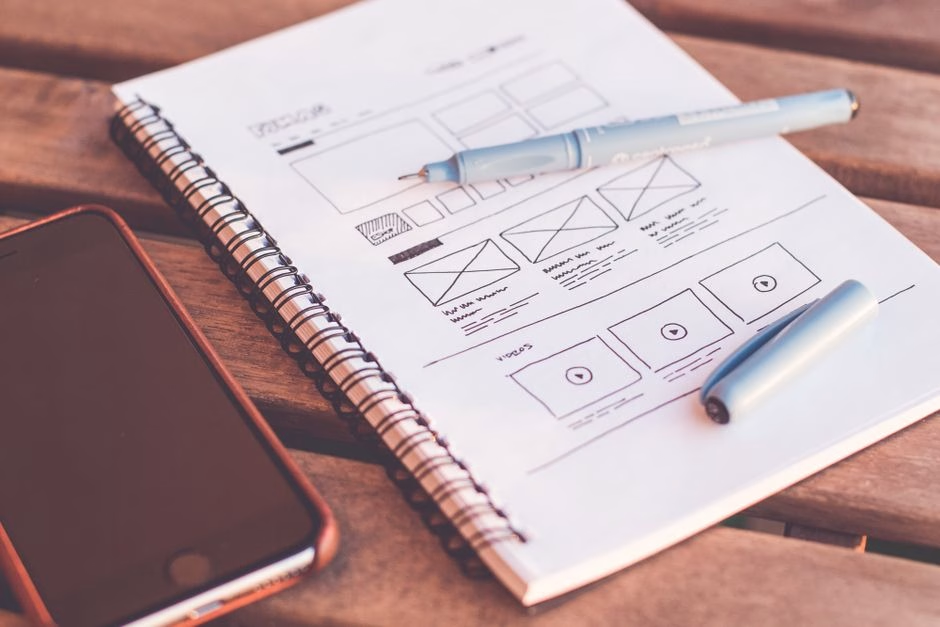
How to Redesign a Home Page for Enterprise Visitors
Start a home page redesign by finding out what visitors need to do. Then make those paths easy to spot: state what your company does, show who you help, and give each key audience a clear next step. Test the layout on phones and desktops before you commit to the visual design.
For enterprise buyers, that next step may be reviewing technical details, checking your credentials, or contacting your team. A polished page helps, but it should never make those tasks harder. Set a goal for the redesign and compare visitor behavior before and after launch.
I’m Nicholas Cunha, founder of CreatiVertical. More than two decades of web and digital project work, including work for government and institutional clients, shape how I approach home page redesign: start with the visitor’s task, then build around it.
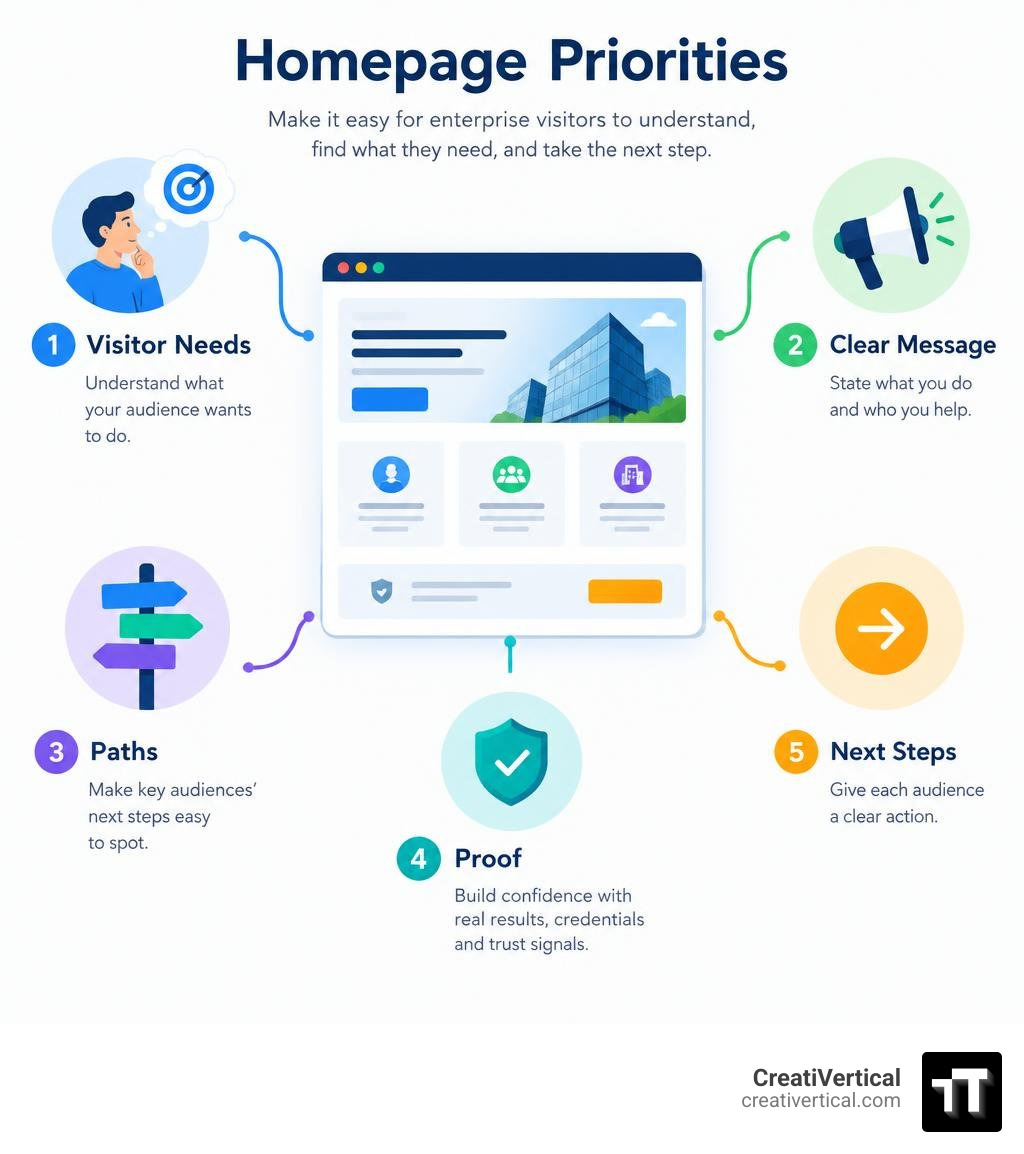
Key home page redesign vocabulary:
Core Principles of an Intent-Driven Home Page Redesign
A successful corporate front door must do heavy lifting in seconds. Enterprise buyers, procurement officers, and institutional partners do not browse aimlessly. They visit your site seeking validation, capabilities, and structured answers to complex operational problems. Applying foundational corporate web design principles ensures that every pixel serves a strategic business function.
Usability research has long demonstrated that visitors rely on standard web conventions. Early web usability studies at Sun Microsystems proved that users demand immediate brand clarity, distinct click affordances, and clean layouts over decorative novelty.
To serve demanding business buyers, keep these core principles at the center of your layout:
- Explicit and Implicit Navigation: Make returning to the front page effortless with a linked corporate logo alongside unambiguous utility navigation.
- Immediate Value Articulation: State exactly what your organization delivers above the fold. Avoid ambiguous corporate jargon that masks your actual offerings.
- Structured Content Revelation: Introduce service lines or complex technical capabilities using concrete examples rather than broad categories.
- Predictable Visual Hierarchy: Use size, contrast, and spacing to guide the eye from primary positioning directly to supporting evidence and action triggers.
Designing Clear Information Architecture and Navigation Paths
High-intent visitors often know exactly what department or specification they need. If your information architecture buries essential documentation or service lines under vague marketing labels, drop-off rates climb quickly.
When organizing high-level menus:
- Limit top-tier menu items to primary buyer pathways.
- Replace generic labels like “Solutions” with descriptive, task-oriented phrasing such as “Machined Components,” “Fiduciary Services,” or “Compliance Automation.”
- Eliminate multi-tiered nested drop-downs that fail on touchscreens or create unnecessary cognitive friction.
Structuring page hierarchy around core visitor questions clarifies intent. Similarly, simplifying enterprise portals allows diverse audience segments to self-select their paths without wading through irrelevant messaging.
Balancing Visual Polish With Core Web Vitals Performance
Visual aesthetics establish instant credibility, but bloated design assets destroy performance. Research shows that the likelihood of users bouncing increases when page load time stretches from 1 second to 3 seconds. For enterprise and municipal portals—from regional initiatives like the City of Blue Springs, MO – Official Website to corporate sites—speed directly impacts engagement.
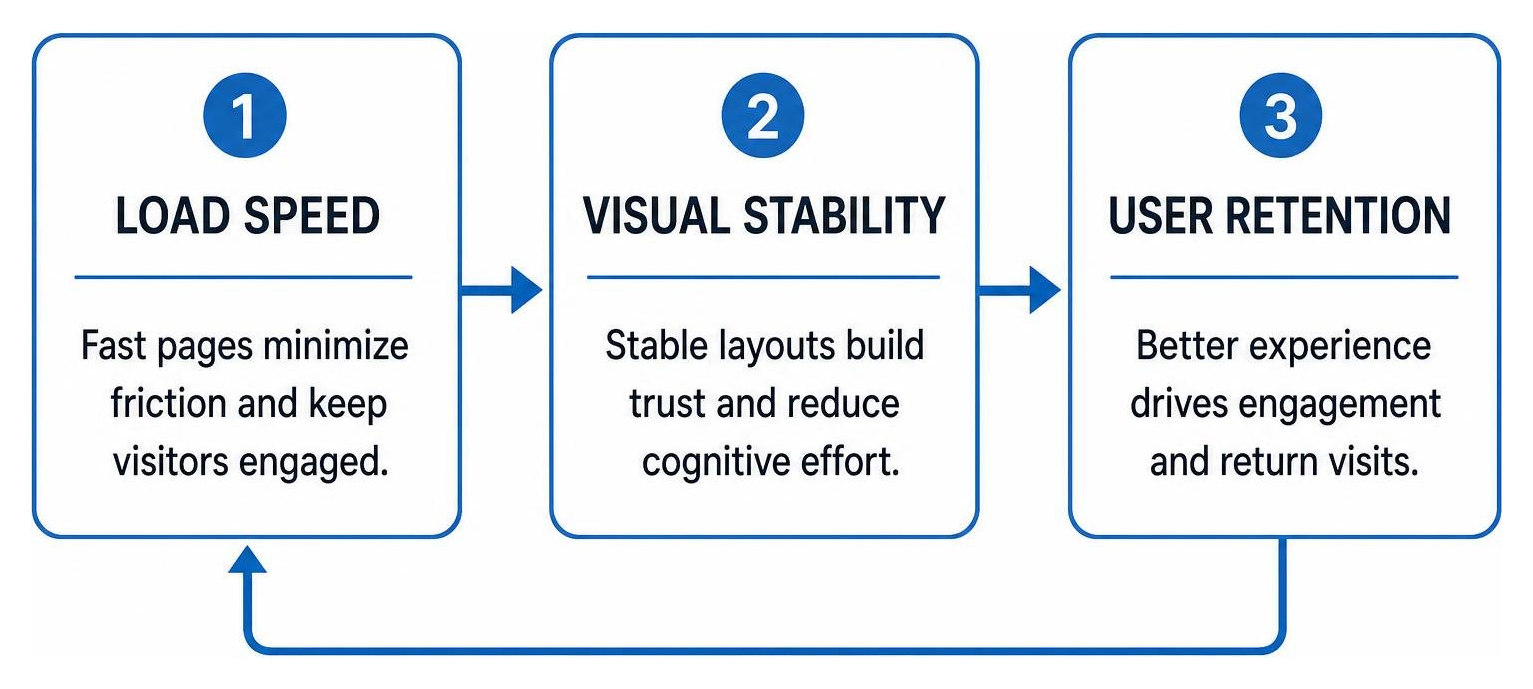
A modern layout must pass Core Web Vitals with clean execution:
- Largest Contentful Paint (LCP): Ensure hero imagery or primary headings render rapidly without render-blocking scripts.
- Cumulative Layout Shift (CLS): Reserve precise aspect-ratio dimensions for imagery, interactive modules, and embedded media to eliminate sudden page jumps.
- Interaction to Next Paint (INP): Keep scripts lightweight so clicks, dropdowns, and form interactions respond instantly.
- Accessibility Standards: Maintain strict WCAG contrast ratios and keyboard-navigable structures for all interactive components.
Strategic Planning: Refresh vs. Full Website Overhaul
Deciding whether to perform a focused visual refresh or a complete architectural rebuild depends on your underlying technology stack, market positioning, and conversion performance. A typical site overhaul can take anywhere from 3 to 12 months, making early alignment critical.
| Evaluation Factor | Surface-Level Homepage Refresh | Structural Website Overhaul |
|---|---|---|
| Primary Scope | Visual hierarchy, typography, copy adjustments, and CTA placement | Information architecture, database schemas, URL taxonomy, CMS migration |
| Typical Timeline | 4 to 8 weeks | 3 to 12 months |
| Core Trigger | Outdated aesthetics, minor brand refresh, or low hero conversion | Business model pivot, legacy CMS constraints, severe technical debt |
| SEO Risk Profile | Low; existing URLs and internal link flows remain intact | High; requires detailed 301 redirection matrices and crawling audits |
| Budget Impact | Lower investment focused on front-end design assets | Substantial investment covering technical development and migration |
Before committing capital, review our detailed guide to the website redesign process and explore what a new website should cost to align scope with organizational milestones.
Step-by-Step Home Page Redesign Roadmap
Executing a complex redesign requires systematic coordination across departments. Following a structured b2b website redesign roadmap keeps engineering, design, and executive leadership aligned.
- User Discovery and Research: Analyze existing heatmaps, scroll maps, and customer support queries to identify where users drop off.
- Prioritization Frameworks: Use research methodologies like MaxDiff analysis to prioritize the exact pieces of information prospects need before contacting sales.
- Low-Fidelity Wireframing: Map content blocks, trust badges, and conversion points without the distraction of colors or final photography.
- Content Strategy Integration: Write benefit-driven copy tailored to decision-makers, pairing concise value statements with clear technical validation.
- Interactive Prototyping & Testing: Validate navigation ease across devices before handing assets to the development team.
Repositioning a headline and hero narrative from a simple builder to an enterprise platform can fuel meaningful increases in demo requests. Strategic clarity directly powers pipeline growth.
Measuring Success After a Home Page Redesign
Design choices should be verified through measurable behavioral metrics rather than subjective aesthetic preferences.
- Comprehension Scoring: Test whether first-time visitors can accurately state what your organization does within five seconds of viewing the page.
- Engagement and Interaction Depth: Track how deeply visitors scroll and which interactive product tours or navigation links they activate.
- Conversion Rate Lift: Monitor bottom-line metrics. In focused redesigns, testing can reveal dramatic swings in inquiry form conversion rates after restructuring page layouts.
- Form Completion Efficiency: Streamline fields to reduce abandonment on high-value inquiry pages.
Tracking these indicators helps you uncover hidden disconnects. For example, testing can reveal strong overall comprehension while engagement remains low, showing that visitors understand the service but the calls to action fail to prompt immediate interaction.
Conversion Optimization: CTAs, Content Hierarchy, and Social Proof

Enterprise homepages must address multiple stakeholders within a buying committee. A plant manager might look for technical certifications, while a Chief Procurement Officer looks for reliability indicators and financial stability.
To convert diverse enterprise traffic:
- Primary Hero CTA: Place a single, unambiguous action above the fold (e.g., “Request Engineering Consultation” or “Explore Fiduciary Services”).
- Secondary Routing Pathways: Provide low-commitment options for early-stage researchers, such as downloading compliance whitepapers or reviewing component specifications.
- Contextual Proof Points: Anchor claims with client badges, ISO certifications, or regulatory clearances directly adjacent to key value statements.
- Clear Editorial Context: Providing short explanatory notes beneath content blocks gives users instant context, building confidence and reading depth.
Mobile-First Layouts and Cross-Platform Consistency
More than 50% of all web traffic originates from mobile devices, and B2B buyers frequently conduct preliminary evaluations on phones between meetings.
- Sticky Input Elements: Keep critical entry fields, like address or quote lookups, accessible as users scroll through mobile screens.
- Generous Touch Targets: Ensure buttons, accordion triggers, and menu links have ample padding to avoid mistaps.
- Adaptive Media: Media elements must scale seamlessly across device profiles. Dynamic components like carousels require tailored interaction logic for mobile swipe, desktop cursor, and TV interfaces to maintain visual fidelity.
Civic portals serving regional communities—including the City of Independence, the City Of Lake Tapawingo, MO, and academic environments like Grain Valley High School—demonstrate the universal necessity of mobile-first accessibility across varying bandwidths and screen sizes.
Integrating AI Search Readiness and Structured Data
Modern websites must serve both human buyers and generative discovery engines like ChatGPT, Perplexity, and Google AI Overviews. Structuring your front page for machine comprehension helps search engines understand and cite your capabilities.
- Deep Semantic Content: Use clear, extractable definitions for your specialized service offerings.
- JSON-LD Schema Markup: Implement
Organization,Service, andWebSiteschema markup with complete entity details, leadership references, and service catalogs. - Topical Entity Alignment: Reinforce your core subject authority by connecting your homepage to detailed sub-pillar pages.
For a deeper look at adapting your marketing infrastructure, read our guide on AI website redesign realities.
Avoiding Critical SEO and Technical Redesign Pitfalls

A visually stunning redesign that destroys organic rankings is an expensive misstep. Protecting hard-earned search equity requires meticulous technical planning prior to DNS cutover.
Protecting Organic Authority and Search Console Signals
When modifying layout architecture or page hierarchy:
- Preserve Core URL Structures: Avoid altering historical URLs for high-ranking service and capability pages whenever possible.
- Comprehensive 301 Redirect Mapping: Map every retired legacy URL to its closest functional equivalent to preserve link equity.
- Preserve On-Page Metadata: Carry over proven title tags, meta descriptions, and structured header hierarchies to your updated templates.
- Post-Launch Crawl Monitoring: Monitor Google Search Console for 404 spikes, indexation anomalies, or canonical misconfigurations immediately following deployment.
Learn more about managing these transitions in our guides on website redesign and SEO planning and maintaining SEO rankings during a site redesign.
Eliminating High-Friction UI Elements and Bloat
Cutting-edge web design prioritizes speed and cognitive ease. Eliminate elements that frustrate visitors:
- Aggressive Carousel Sliders: Multi-slide banners often hide critical value propositions; users rarely wait for third or fourth slides to rotate.
- Autoplay Video With Audio: Heavy video backgrounds consume cellular bandwidth, inflate LCP times, and create immediate bounce triggers.
- Premature Interstitial Modals: Pop-up banners that appear before a user reads your first headline disrupt engagement and harm mobile usability.
Frequently Asked Questions About Website Redesigns
How long does an enterprise homepage redesign take?
A standalone homepage refresh typically takes 4 to 8 weeks, while an enterprise-wide redesign requiring custom integrations, content development, and compliance reviews generally spans 3 to 12 months.
When should a company choose a refresh over a full redesign?
Choose a refresh if your underlying technical infrastructure, URL authority, and CMS are solid, but your positioning, typography, or hero conversion rates need improvement. Choose a full redesign if you face deep architectural debt, poor mobile responsiveness, or a major business model shift.
How do you prevent organic traffic loss during a launch?
Protect search rankings by performing an exhaustive pre-launch audit, mapping 1-to-1 301 redirects for modified URLs, maintaining existing title tags and schema structures, and monitoring Search Console logs closely post-launch.
Conclusion
A high-performing homepage balances clear brand positioning, intuitive visitor pathways, and disciplined technical performance. By treating your website as an evolving digital engine rather than a static brochure, your organization can consistently engage enterprise buyers and convert traffic into qualified business relationships.
At CreatiVertical, we partner with growing mid-market enterprises, regional leaders, and specialized B2B brands to deliver high-performance digital systems. Explore our expert website development services to build a homepage that drives measurable results.